Save WhatsApp photos from Android to a Mac
WhatsApp media sits in Android/media/com.whatsapp, outside the camera roll, so photo importers miss it. Over USB you can copy it like any other folder.
19 September 2026
WhatsApp media is the single biggest thing on a lot of Android phones, and it is the thing most photo tools cannot see. That is because it is not in the camera roll. On current Android it lives at:
Android/media/com.whatsapp/WhatsApp/Media/with WhatsApp Images, WhatsApp Video, WhatsApp Documents, Sent
sub-folders and the rest. Older phones keep the same tree directly under
WhatsApp/Media/ at the top level of internal storage. Either way it is
ordinary files — IMG-20260814-WA0032.jpg and the like — and anything that can
read the phone’s file system can copy them.
Why Image Capture will not do it
Set the USB mode to PTP and macOS treats the phone as a camera; Image Capture then lists the camera roll. WhatsApp media is not in the camera roll, so none of it appears. This is the answer to “why can I see my photos but not my WhatsApp photos” — the tool is not broken, it is looking in the one folder Android designates as the camera’s.
WhatsApp’s own backup does not help either. It backs up to Google Drive, in a form WhatsApp restores and nothing else reads. It is not a folder of pictures.
Copying it by hand
Any MTP file browser will do this. OpenMTP is free and open source and is the honest recommendation if you want to drag one folder across and be done:
- Phone in File transfer mode.
- Open OpenMTP, find
Android/media/com.whatsapp/WhatsApp/Media. - Drag
WhatsApp ImagesandWhatsApp Videoto your Mac.
That works. What it does not do is tell you which of those files you already have, or check that a 300 MB video arrived intact, and both matter when the folder has 8,000 items in it and you plan to delete the originals afterwards.
Doing it with RollFerry
WhatsApp is an opt-in source in RollFerry — off by default, because most people want their own photos first, and a single checkbox away when they want the rest.
- Turn it on. Settings → include WhatsApp media. Downloads is a separate checkbox next to it.
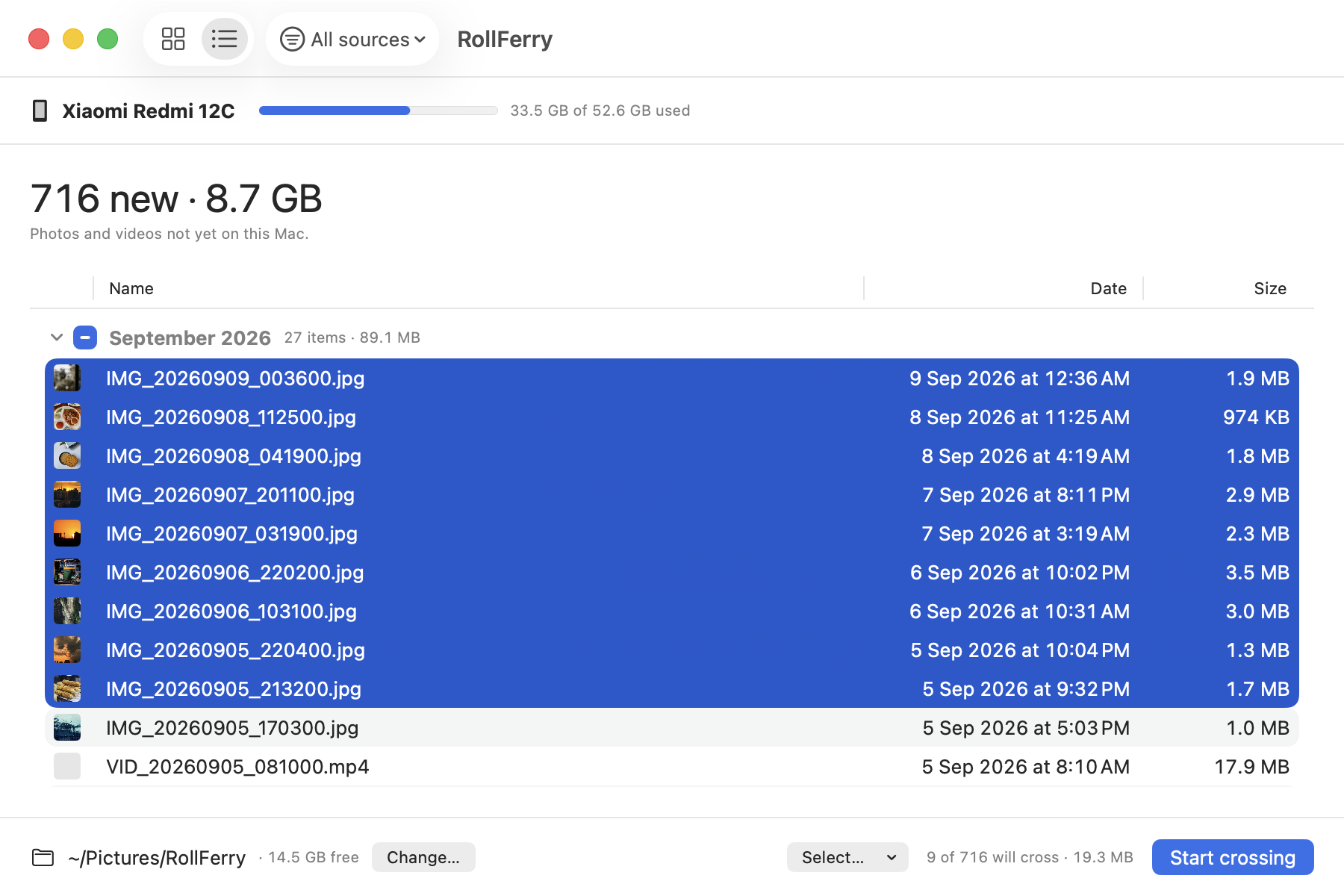
- Plug in and look. Every item carries the source it came from — camera, screenshots, WhatsApp, downloads — and the toolbar has a filter, so you can put the grid into WhatsApp-only and see just that. Only items that are not already on your Mac are shown, grouped by month.
- Pick and cross. Select a month, a range, or everything shown. Each file is copied and then checked byte for byte with SHA-256; a tick means it landed. Unplug halfway and you lose at most the file in flight.
The list view has an optional Source column, which is the practical way to sort a year of received media before deciding what is worth keeping.
Then clear the space
WhatsApp media is where the gigabytes are, and deleting it is also where the mistakes are. RollFerry’s free-space step is separate from the copy, never bundled into it, and you start it yourself. Before it removes anything it checks every file twice: a verified record from the crossing, and the copy still present on your Mac at the recorded size. Anything that fails either check is kept back and named in the report rather than quietly deleted.
The alternative — WhatsApp’s own Manage storage screen — is good at finding the largest items and has no idea whether you have a copy anywhere else.
About the dates
WhatsApp names its files with the date they were received —
IMG-20260814-WA0032.jpg is the 14th of August 2026 — and that is usually, but
not always, the same as the date on the file itself. A photo someone took last
year and forwarded to you today carries today’s date.
So a WhatsApp month folder is “the month it arrived”, not “the month it was taken”. Nothing can fix that; the original date was stripped before it reached you. It is worth knowing before you go looking for a wedding in the wrong year.
One thing to decide first
Received media and photos you took are different kinds of thing. Four years of forwarded memes, screenshots of bus tickets and family videos are all in the same folder, and the videos are most of the bytes.
A reasonable pass:
- WhatsApp Video — worth keeping, usually. Big, often irreplaceable.
- WhatsApp Images — mixed. Sorting by month and skimming the grid is quicker than it sounds.
- Sent — you have most of this already; it is copies of your own camera roll.
- WhatsApp Documents — not photos. Copy it by hand with OpenMTP if you want it.
Copy what you want, verify, then clear the rest on the phone.
Download the trial — scanning and browsing are unlimited, so you can switch WhatsApp on and see exactly how much of your storage it is before deciding anything. If the phone itself is the problem, see phone storage full.