Transfer photos from a Motorola phone to a Mac
Touch Charging this device via USB and pick File transfer — Media device (MTP) on some Motorolas. Then copy free, or by month with every copy verified.
October 6, 2026
Plug the Motorola into the Mac, unlock it, swipe down from the top of the screen and touch the Charging this device via USB notification. Choose File transfer — Motorola’s own help calls the same option Media device (MTP) on some models. Until you do, the phone only charges and the Mac sees nothing.
Motorola’s help page for Mac owners still says to download Android File Transfer. Google discontinued that app in 2024 and removed the download, so that step is a dead end. What does work is below.
Where a Motorola keeps photos
Motorola’s help lists these folders on the phone:
DCIM— photos and videos taken with the Camera app.Pictures— edited photos, and photos from apps other than Camera.Download— files downloaded from the internet.
WhatsApp media is in none of them. On current Android it lives in
Android/media/com.whatsapp/, which is why camera-only tools miss it — see
saving WhatsApp photos from Android to a Mac.
The free way
In the same USB notification, choose Camera (PTP) instead. Motorola describes it as the mode for photos and videos only, and it makes the phone look like a camera, so Image Capture — already in your Applications folder — can list the camera roll and import it.
It sees the camera folder only, gives you one flat pile of files rather than folders by date, does not remember what it imported last time, does not verify that a copy matches the original, and starts over if the cable moves. For a weekend’s photos that is fine. The other free and paid options are compared in Android File Transfer alternatives for Mac.
Doing it with RollFerry
RollFerry does one job: photos and videos, phone to Mac, over a cable.
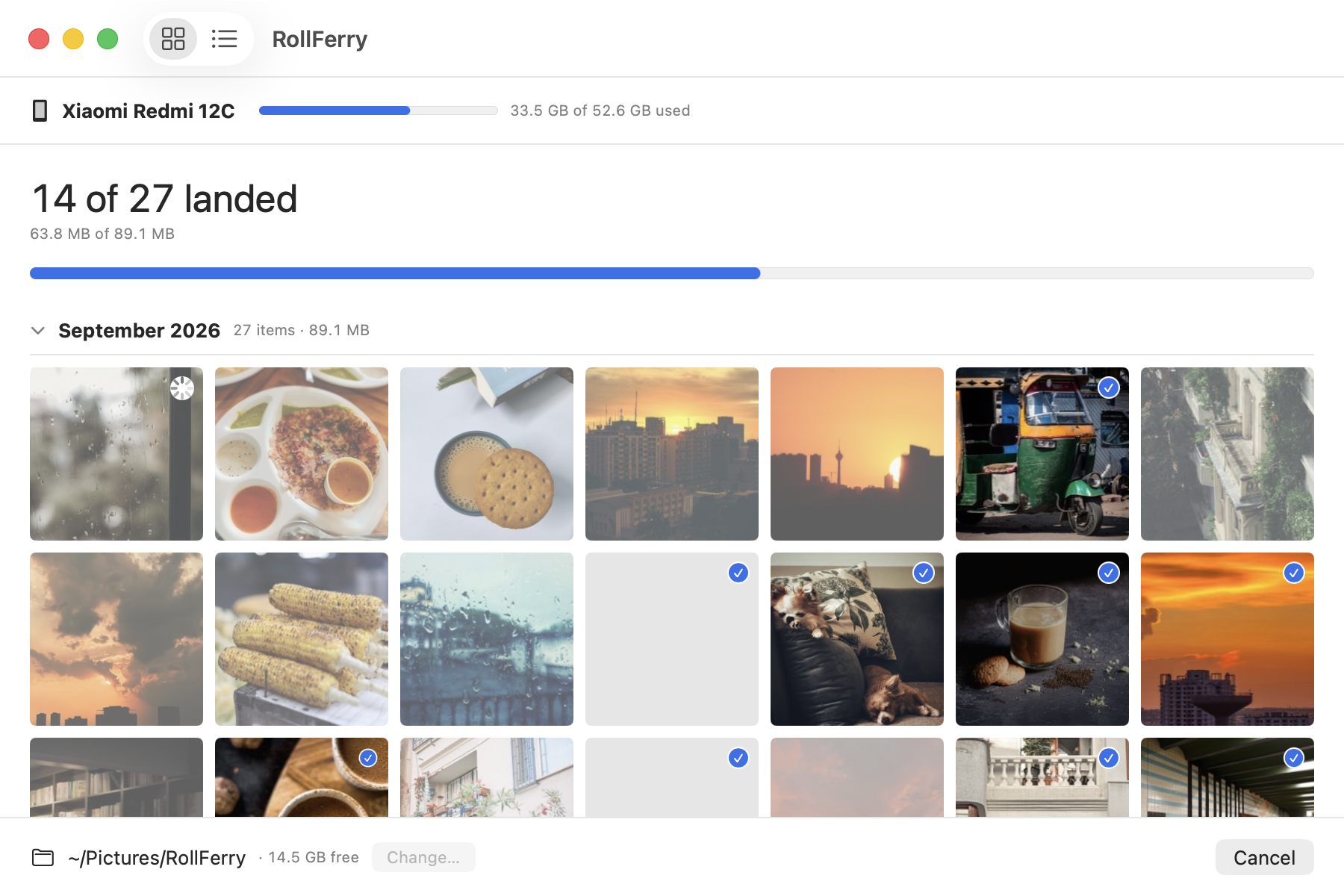
- Plug in with the phone in File transfer mode. It finds the phone and reads the media folders — about five seconds for 700 items.
- See what is new. It keeps a record of everything it has ever copied, so the grid shows only what is missing from your Mac, by month, with thumbnails. Pick a month, a range, or everything.
- Cross. Each file is copied and then checked byte for byte with SHA-256. A tick means it landed. Unplug mid-transfer and you lose at most the one file in flight; plug back in and it continues.
Files land in plain 2026/08 folders in whatever folder or external drive you
choose. Nothing is renamed, re-encoded or uploaded, there is no account, and it
all works with the network off.
Freeing space on the phone is a separate step you start yourself. Before deleting anything RollFerry checks each file twice — a verified record from the copy, and the copy still on your Mac at the recorded size — and anything it cannot prove stays on the phone. If that is why you are here, see phone storage full: move the photos to your Mac.
Has it been tested on a Motorola?
Not by me. RollFerry is tested end to end on a OnePlus Nord CE 2 and a Xiaomi Redmi 12C. Motorolas use the same File transfer (MTP) mode, so it should work, and the trial scans and browses for free — plug the phone in and see it find your photos before paying anything. If something is wrong on your model, write to hello@rollferry.com with the model and what you saw.
If the Motorola does not show up
- Touch the USB notification again and choose File transfer (or Media device (MTP)).
- Try a different cable. Motorola’s own help points out that not all USB cables can transfer files.
- Quit Preview, Image Capture and Photos. macOS runs a camera service that claims a phone the instant it appears and locks other apps out.
- Plug straight into the Mac, not through a hub or a monitor.
Each of those is covered in Android File Transfer not working on Mac.
Questions
Why doesn’t my Mac see my Motorola phone?
Usually because it is still in charging mode: touch the Charging this device via USB notification and choose File transfer. If it is already set, try another cable, since not all USB cables carry data, and quit Preview, Image Capture and Photos, which can claim the phone first.
Do I need Android File Transfer for a Motorola?
No, and you cannot get it any more: Google discontinued it in 2024, even though Motorola’s help page still mentions it. Image Capture is free for the camera roll, and RollFerry handles everything else.
Other phones: Samsung Galaxy to Mac, Google Pixel to Mac, OnePlus to Mac, Xiaomi to Mac.